Get a phone alert when Claude Code needs input or finishes
Claude Code stops to ask for permission or a decision, and you are in another room. Here is how to get a push on your phone when it waits or finishes: what Claude Code gives you, where each route stops, and a free option that also works on Windows.
On this page
What Claude Code gives you (as of 14 October 2026)Fixes and stepsWith ratchetRelated guidesWhat Claude Code gives you (as of 14 October 2026)
- Remote Control push. When Remote Control is active, Claude can send push notifications to the Claude app on your phone, typically when a long task finishes or when it needs a decision. Two settings in
/configcontrol it: Push when Claude decides and Push when actions required. It needs a claude.ai Pro, Max, Team or Enterprise login (API keys are not supported), and theclaudeprocess has to keep running on your computer. - Notification hooks. A hook on the
Notificationevent runs a command of your choice when Claude is waiting for input or permission. The command runs on your computer: the documented Windows example opens a dialog box, which can open behind your terminal window. Reaching your phone means connecting the hook to a push service yourself. - Agent view. While agent view (
claude agents) is open, Claude Code notifies you through your terminal when a background session needs input, finishes or fails. Agent view is a research preview, and the notification appears on the computer, not on the phone.
Fixes and steps
From Anthropic's docs on Remote Control and hooks, as of 14 October 2026:
- No push from Remote Control. Check that Push when actions required is on in
/config, that the Claude app on the phone is signed in to the same account, and that the computer is awake with the session still running. Claude Code skips the push while you are typing in, or focused on, the connected terminal. - A hook that fires too early or too late. The
permission_promptmatcher fires after a permission prompt has waited about six seconds;idle_promptfires about 60 seconds after Claude finished and you haven't typed. Pick the matcher for the moment you care about. - Several sessions at once. Remote Control is per process: outside server mode, each interactive
claudeprocess carries one remote session. Startclaude remote-controlto serve several sessions from one place.
With ratchet
ratchet is a free dashboard for Claude Code that runs on your PC, on Windows 10, Windows 11 or macOS. It sends a push to your phone's browser when an agent asks a question or wants permission, finishes its turn, or its pull request fails CI. A title reads like ratchet · db/uuid-orders needs you, and tapping it opens that agent.
npm install -g @ratchet-ai/ratchet ratchet
- Turn on phone access and pair your phone with the QR code. The ratchet relay needs nothing installed and no account; Tailscale works too.
- Add ratchet to the phone's home screen, which an iPhone requires for alerts. Then, in ratchet's settings on the phone, press Allow alerts and Send test alert. See Turn alerts on.
- Choose which alerts you want and set quiet hours. See When you get one.
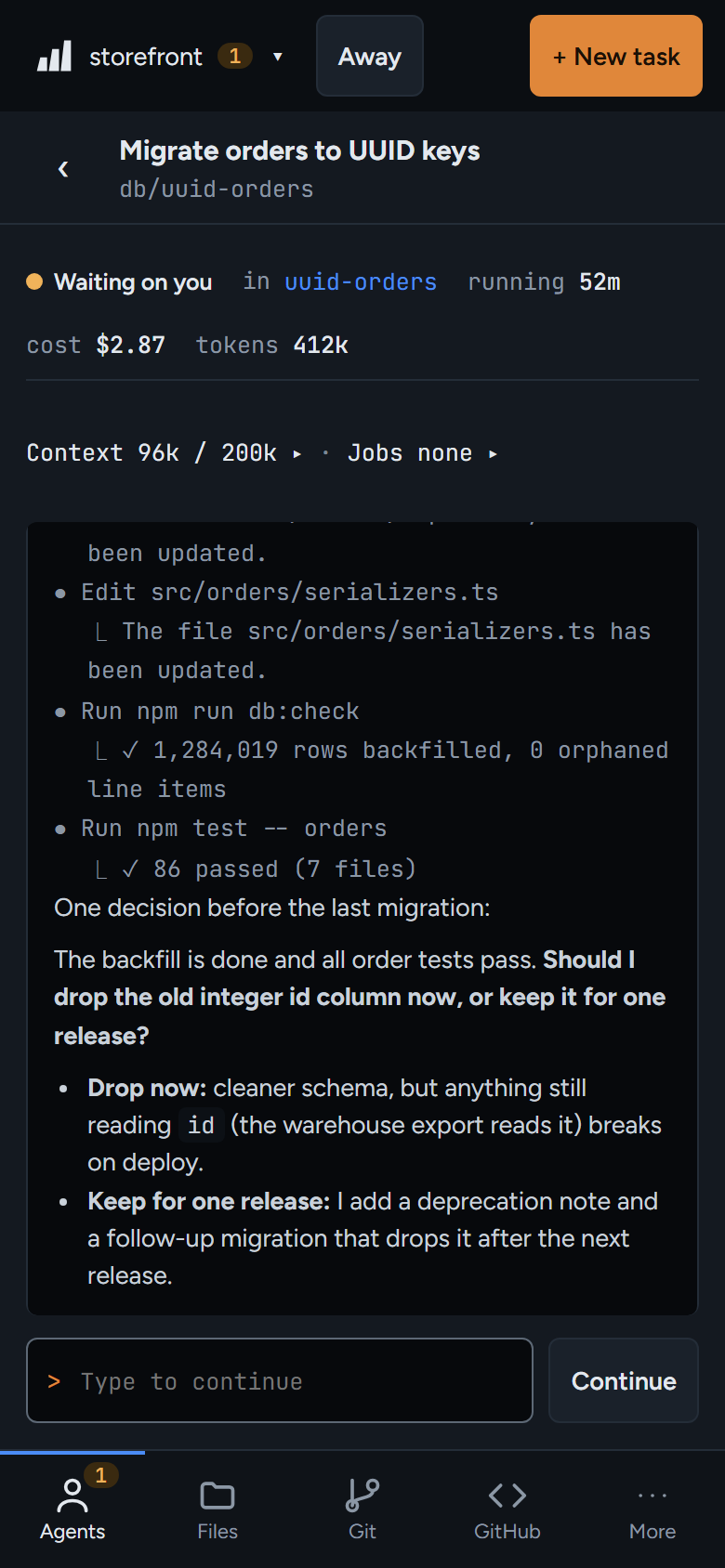
ratchet reads Claude Code's own session files, so it also sees agents you started in a terminal or in VS Code, and sends their question and finished alerts. Permission alerts, and answering from the phone, are for agents started from ratchet with New task. ratchet has no account of its own and doesn't check which Claude plan you use: it starts the Claude Code you already have.