Agents
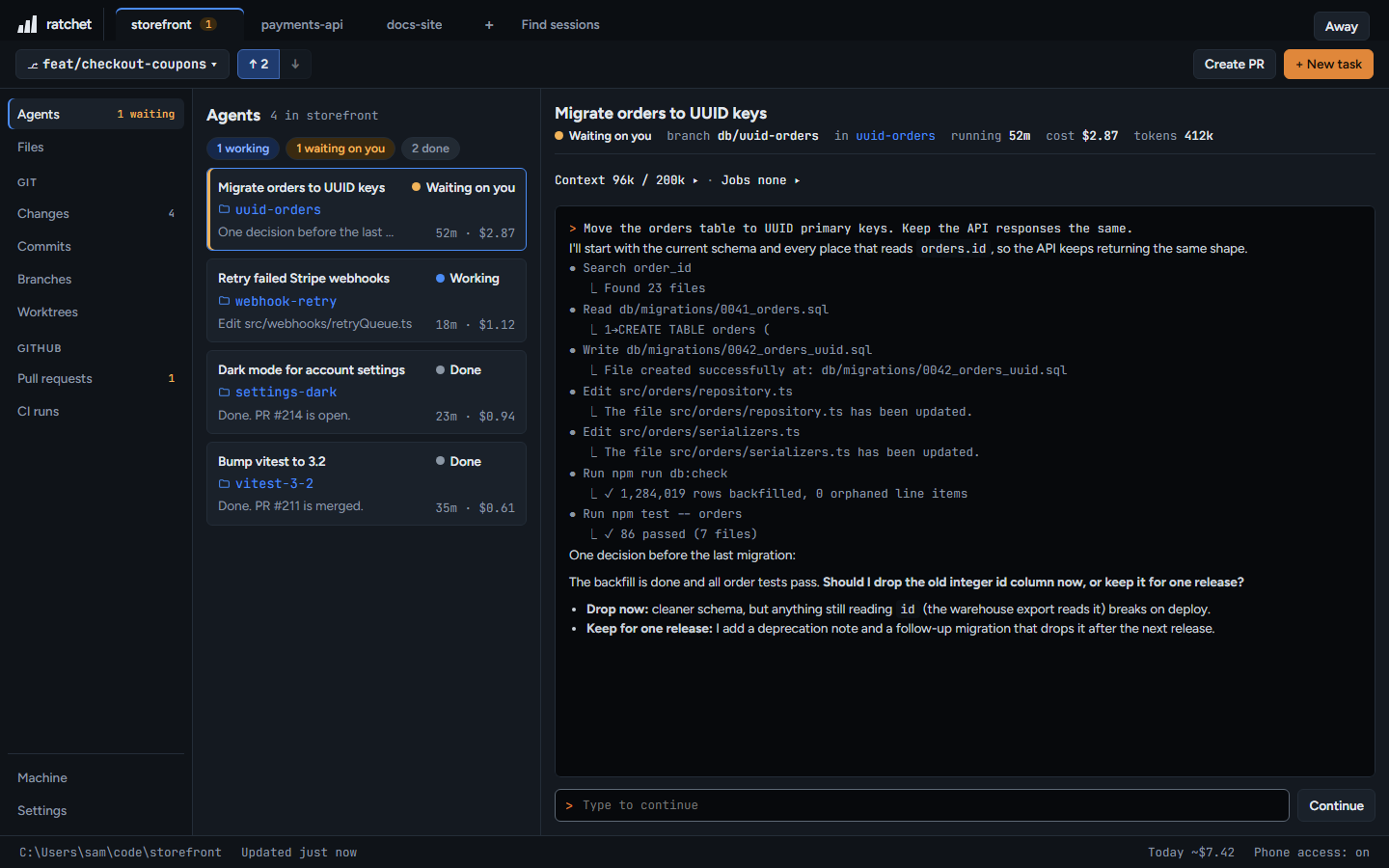
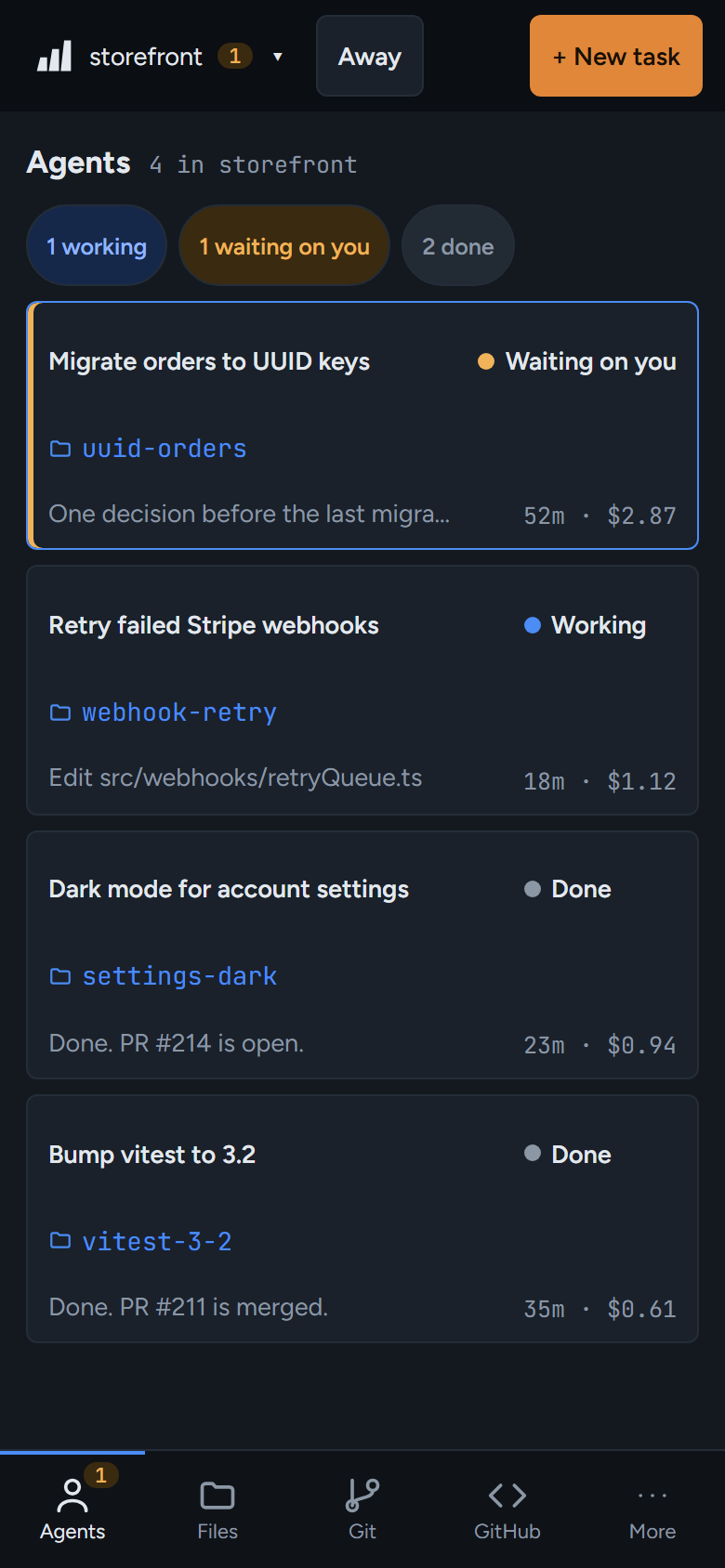
Every Claude Code session running in the repo or one of its worktrees, with what it's doing right now.
Which agents show up
ratchet reads Claude Code's session files, so it finds agents wherever you started them: in ratchet, in VS Code or in a terminal. Finished agents stay in the list for the day they were last active. One-off claude -p runs aren't listed.
What each status means
| Status | Meaning |
|---|---|
| Working | Claude is in the middle of a turn, or background work it started is still running. |
| Waiting on you | Claude asked you a question or wants a plan approved. |
| Wants permission | Claude is waiting for you to allow a command or an edit. Only for agents ratchet started. |
| Done | The turn finished and nothing is running, or the session has closed. |
ratchet can read them but not type into them. They show Started outside ratchet — answer it where it runs. A permission prompt in one of them shows as Working, because ratchet can't see it.
What a card shows
Each row has the agent's name, status, last step, how long it has run and an estimated cost. A no prompts chip means the agent runs without asking for permission.
The Claude terminal
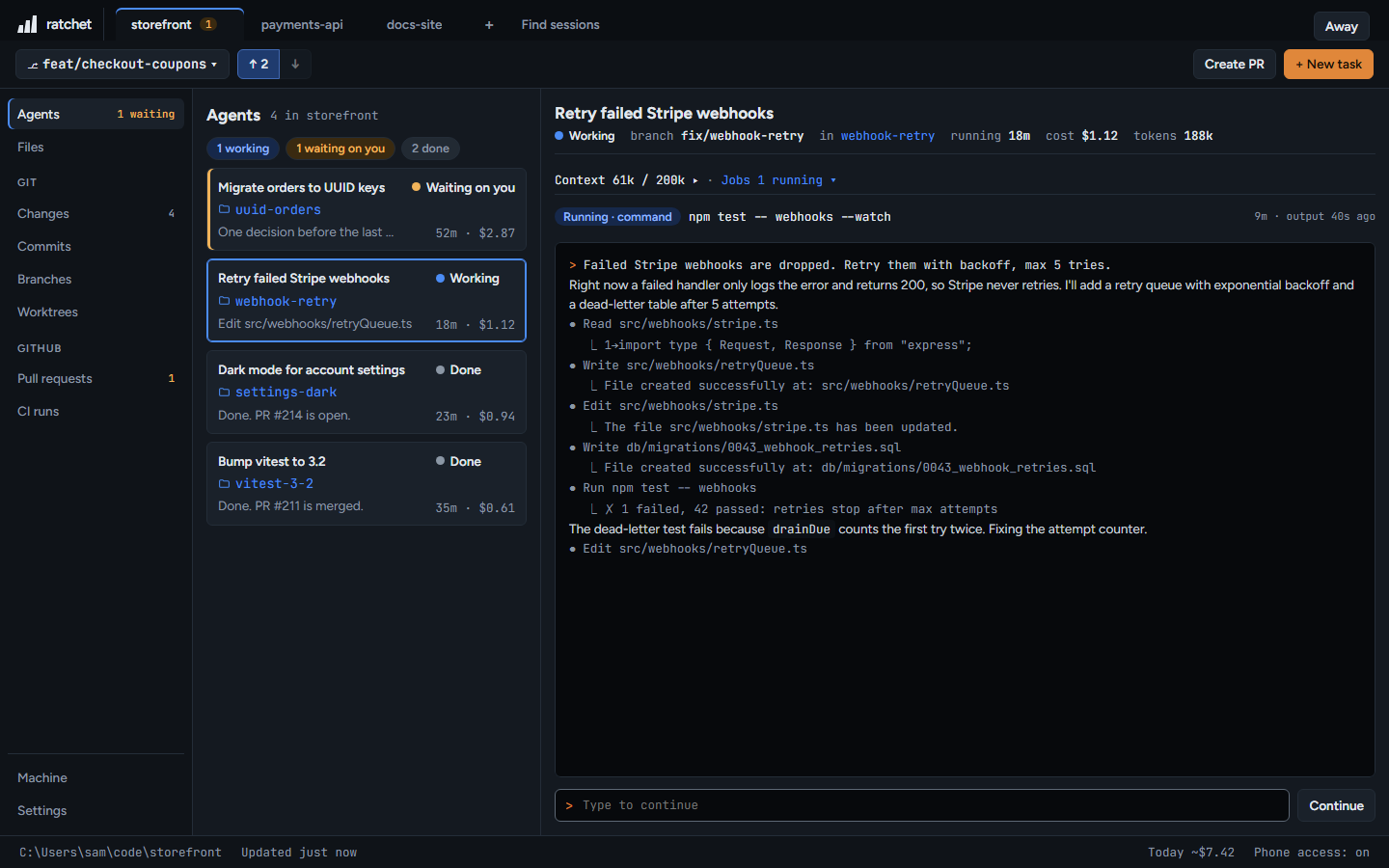
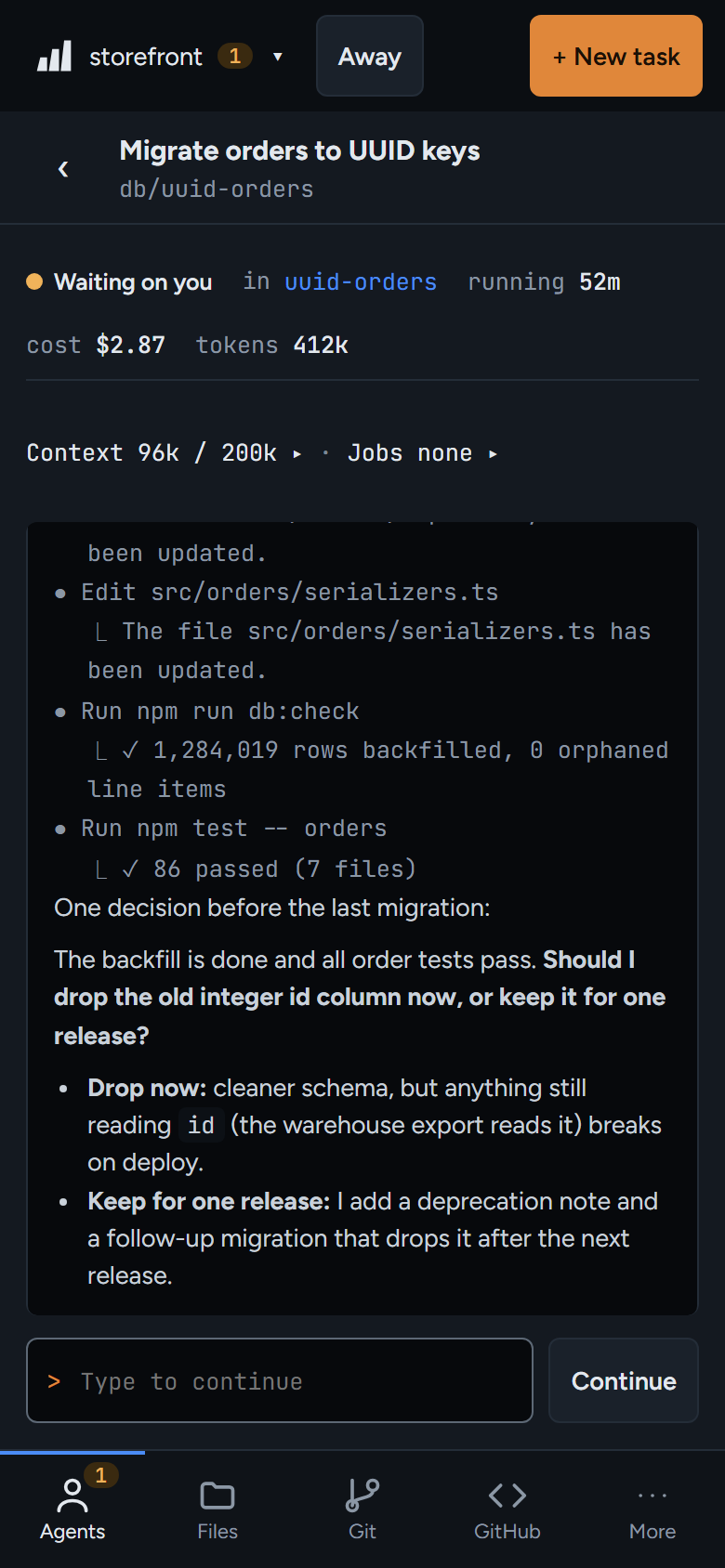
Agents ratchet started open in a real Claude Code terminal inside the page. Switch between Terminal and Transcript, or press Big terminal for more room (Esc goes back). Ctrl+C copies when text is selected, and Ctrl+V pastes text or images.
When a session has ended you see Session ended — type to continue. Type, or press Continue, and ratchet resumes the same conversation.
Context and jobs
- Context shows how the agent's context window is used: system and built-in tools, plugins and skills, MCP tools, CLAUDE.md and memory, the conversation, and what's free. It also flags plugins and MCP servers that are loaded but never used.
- Jobs lists background commands and subagents, with their output and whether they're running, done, failed or stopped.
Continue with Claude
From Branches and Worktrees, Continue with Claude writes a starting prompt for that branch. From an open pull request, Review with Claude does the same for a review. Edit the prompt, then Copy & open Claude starts a new agent in the right folder.